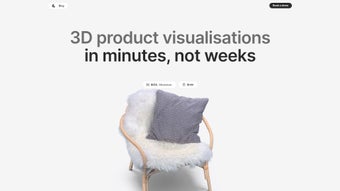

Download Graswald – AI‑Powered 3D Product Visualization Tool
Overview
Graswald is a cutting‑edge web application created by Akanksha Yadav that brings artificial intelligence to the world of 3‑dimensional product visualization. In a marketplace where shoppers expect immersive experiences, Graswald offers a simple yet powerful way to turn ordinary product videos into interactive 3D models, 360‑degree spin‑views, and even Augmented Reality (AR) try‑on experiences. The platform eliminates the need for costly and time‑consuming manual 3D modeling, allowing businesses of any size to generate high‑quality visual assets directly from video footage captured with any camera—smartphone, DSLR, or even security cam.
By automating the conversion process, Graswald reduces production costs, shortens time‑to‑market, and empowers in‑house teams to manage their 3D content from a single, intuitive dashboard. The tool is especially valuable for e‑commerce retailers, manufacturers, and marketers who want to boost conversion rates, increase average order values, and reinforce brand credibility without hiring specialized 3D artists. Because the service runs entirely in the cloud, there is no need for powerful local hardware; all processing happens securely on Graswald’s servers, ensuring that even small businesses can benefit from enterprise‑grade visualization technology.
Whether you’re showcasing footwear, furniture, electronics, or fashion accessories, Graswald’s AI engine analyses video frames, reconstructs geometry, textures, and material properties, and delivers a ready‑to‑use 3D asset that can be embedded on product pages, shared on social media, or exported to AR‑compatible platforms. In short, Graswald is a cost‑effective, scalable, and future‑proof solution that democratizes 3D product visualization for the modern digital commerce ecosystem.
Key Features, Installation & Compatibility
Feature Highlights
- AI‑Driven 3D Reconstruction: Automatically converts product videos into fully textured 3D models without manual sculpting.
- 360° Spin Views: Generates smooth, interactive rotation controls that let shoppers examine every angle.
- AR Try‑On Integration: Enables customers to place products in real‑world environments using smartphones or AR glasses.
- Multi‑Camera Support: Accepts video input from any device—smartphone, DSLR, GoPro, or surveillance camera.
- One‑Click Video Generation: Produces short product showcase videos directly from the 3D model for marketing use.
- Cloud‑Based Processing: No need for high‑end GPUs; all heavy lifting is performed on secure servers.
- In‑House Content Management: A centralized dashboard for uploading, editing, and publishing 3D assets.
- Scalable Pricing Plans: Free tier for testing, with paid options that unlock higher resolution models and bulk processing.
- SEO‑Friendly Export: Generates JSON‑LD and schema markup automatically for better search engine visibility.
- Secure Data Handling: End‑to‑end encryption ensures that proprietary product footage remains confidential.
Installation & First‑Time Use
Because Graswald is a web‑based SaaS platform, the “installation” process is remarkably straightforward. Start by visiting the official Graswald website and creating a free account using an email address or a single‑sign‑on (SSO) option such as Google or Microsoft. After confirming your email, you’ll be taken to the main dashboard where the upload interface resides. To begin converting a product, click the “Upload Video” button, select the video file (supported formats include MP4, MOV, and AVI), and optionally tag the product with metadata such as SKU, category, and brand. The AI engine then begins analyzing the footage; processing time varies based on video length and resolution but typically ranges from 5 to 15 minutes for standard 30‑second clips.
Once the model is ready, you can preview it in the built‑in 3D viewer, adjust lighting or material settings, and generate additional assets like 360° spin GIFs or AR links. Export options include a WebGL embed code for direct website integration, a GLB/GLTF file for AR platforms, and a shareable URL that can be sent to stakeholders for review. For teams that require collaboration, Graswald offers role‑based access controls, allowing designers, marketers, and product managers to view or edit assets without exposing sensitive data.
Compatibility & System Requirements
Graswald runs entirely in modern browsers, making it compatible with Windows 10/11, macOS 10.15+ (Catalina and later), Linux distributions, as well as mobile operating systems like Android 8.0+ and iOS 13+. Because the heavy computation occurs in the cloud, the client device only needs a stable internet connection and a browser that supports WebGL (Chrome, Firefox, Edge, Safari). No additional plugins or installations are required, and the platform adheres to WCAG 2.1 accessibility standards, ensuring that users with disabilities can also create and manage 3D assets.
Pros, Cons & Frequently Asked Questions
Pros
- Eliminates the need for specialized 3D modeling skills.
- Fast turnaround from video upload to usable 3D model.
- Works with any camera, reducing equipment costs.
- Cloud‑based processing means no powerful local hardware.
- Integrated AR try‑on boosts shopper engagement.
- Scalable pricing suits startups to enterprise users.
- Built‑in SEO tools improve product discoverability.
Cons
- Quality of the 3D model depends on video lighting and stability.
- High‑resolution exports are limited to paid plans.
- Processing time can increase for very long or complex videos.
- No offline mode; an internet connection is mandatory.
Frequently Asked Questions
Can I use Graswald for products that are already 3D‑modeled?
Yes. If you already have a 3D model, you can upload it directly to the Graswald dashboard to take advantage of the platform’s AR try‑on, 360° spin generation, and SEO export features. The system will also analyze the model to suggest texture enhancements or lighting tweaks.
What security measures protect my product videos?
All uploads are encrypted in transit with TLS 1.3, and stored on servers that comply with ISO 27001 and GDPR standards. Access to each asset is controlled by role‑based permissions, and you can set expiration dates for shared links.
Is there a free trial or a forever‑free tier?
Graswald offers a forever‑free tier that allows up to three video conversions per month, with standard resolution output. For higher volume or premium features like high‑resolution GLB exports and bulk processing, paid plans start at $29 per month.
Conclusion – Why Download Graswald Today?
In an era where visual storytelling drives purchasing decisions, Graswald stands out as the most accessible AI‑powered solution for turning simple product videos into compelling 3D experiences. Its cloud‑first architecture removes hardware barriers, while its intuitive dashboard empowers teams to manage assets without waiting for external designers. By delivering 360° spin views, AR try‑on, and SEO‑ready markup, Graswald not only enhances the shopper journey but also contributes directly to higher conversion rates and larger average order values. Whether you are a boutique fashion retailer looking to let customers virtually “try on” shoes, a furniture maker wanting to showcase a sofa from every angle, or a tech startup aiming to differentiate product listings with interactive visuals, Graswald provides a cost‑effective, secure, and scalable path forward.
Ready to modernize your e‑commerce storefront? Download Graswald now and start converting your existing product videos into immersive 3D models within minutes. Take advantage of the free tier to test the platform, then upgrade as your needs grow. Give your customers the visual confidence they crave, and watch your sales metrics climb—one interactive model at a time.



.png)



